

Best 10 Dreamy Girl’s AI Prompts for Fairy Garden Explorations
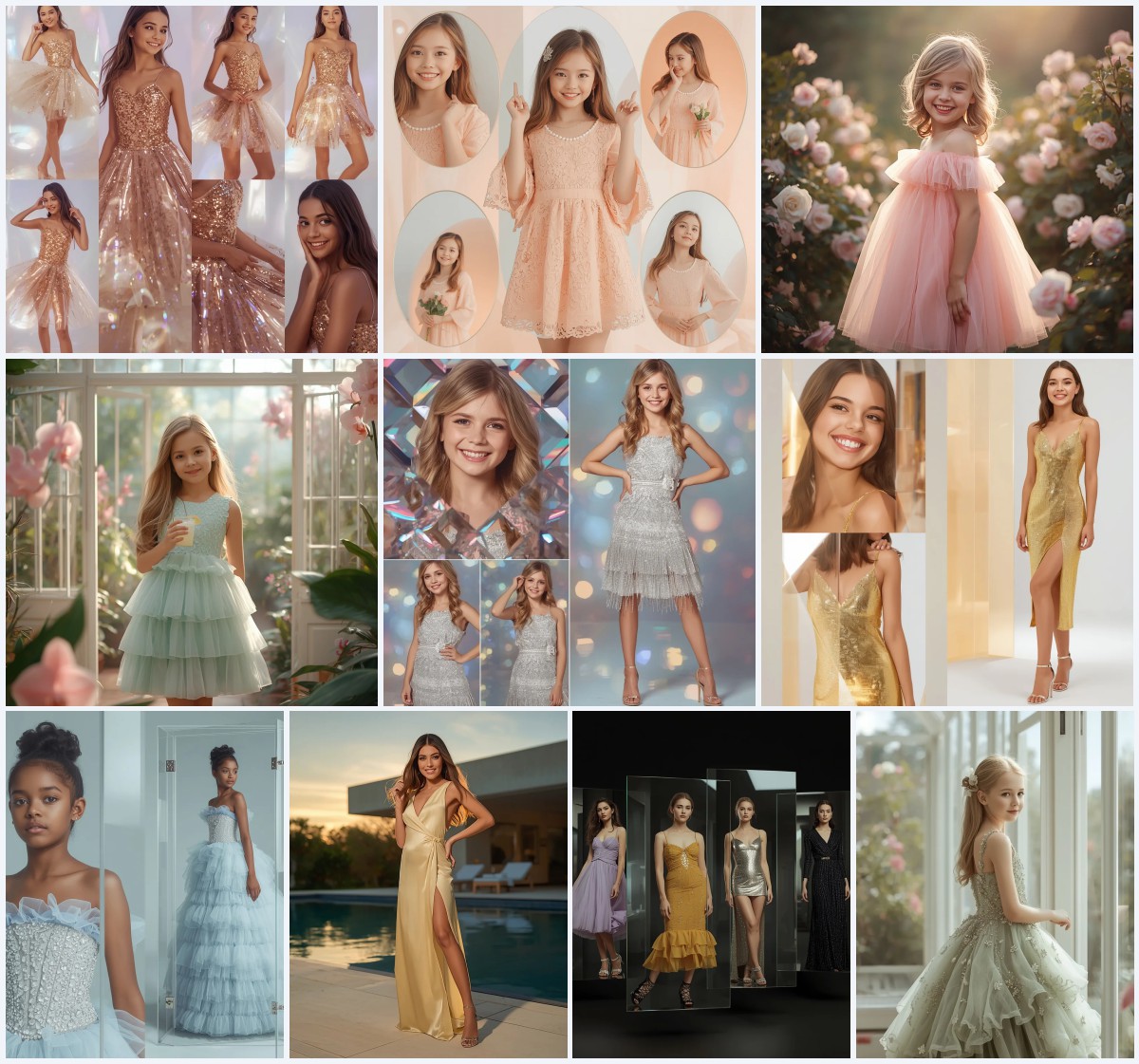
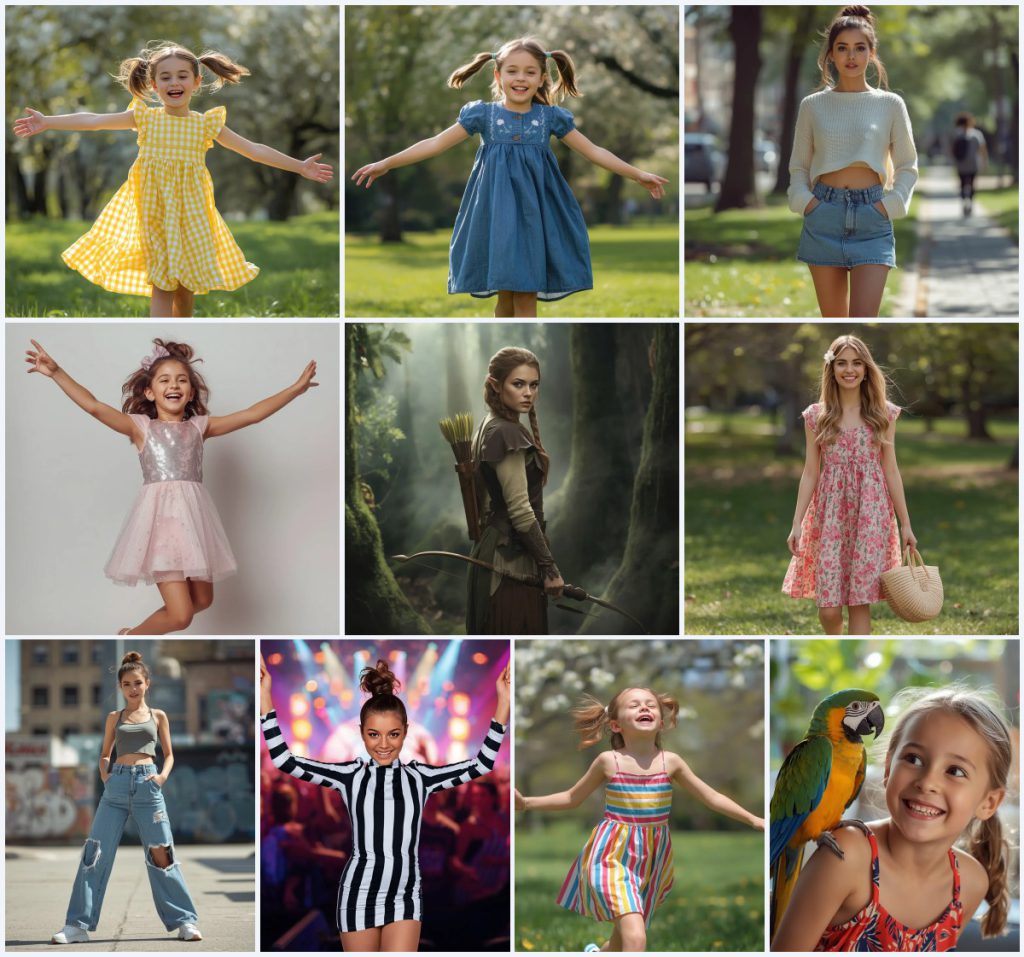
This collection brings together ten distinct AI image prompts, all centered on a joyful young girl or woman in a vibrant outdoor or studio setting. The shared thread is a sense of playful exploration, whether she is skipping through a sunny park, posing in a sequin dress, or standing alert as an elven ranger in a misty forest. Each prompt is designed to generate an ultra-realistic, heartwarming image that feels candid and full of life.
The prompts range from casual street style to fantasy costume, but they all emphasize natural light, dynamic poses, and rich detail in clothing and environment. You will find gingham dresses, denim, sequins, floral prints, and even leather armor. This article breaks down how to use these prompts effectively, what to watch for in the generated results, and how to adapt them for different AI tools.
What this fairy garden exploration collection is asking for
This collection asks for a series of photorealistic portraits featuring a young girl or woman in various joyful, dynamic poses. The settings shift from sunny parks and bustling cityscapes to misty ancient forests and minimalist studios. Each prompt specifies a distinct outfit, hairstyle, makeup style, and lighting condition, all aimed at capturing a specific mood: playful, trendy, confident, or ethereal.
- A yellow gingham dress with ruffles and a twirl-worthy skirt
- A blue denim dress with delicate embroidery
- A cropped sweater with a high-waisted denim mini skirt
- A sequin mini dress in iridescent pink and silver
- Elven ranger armor in earthy tones with a quiver of arrows
- A vibrant floral print A-line dress with white canvas sneakers
Setting the scene across ten joyful prompts
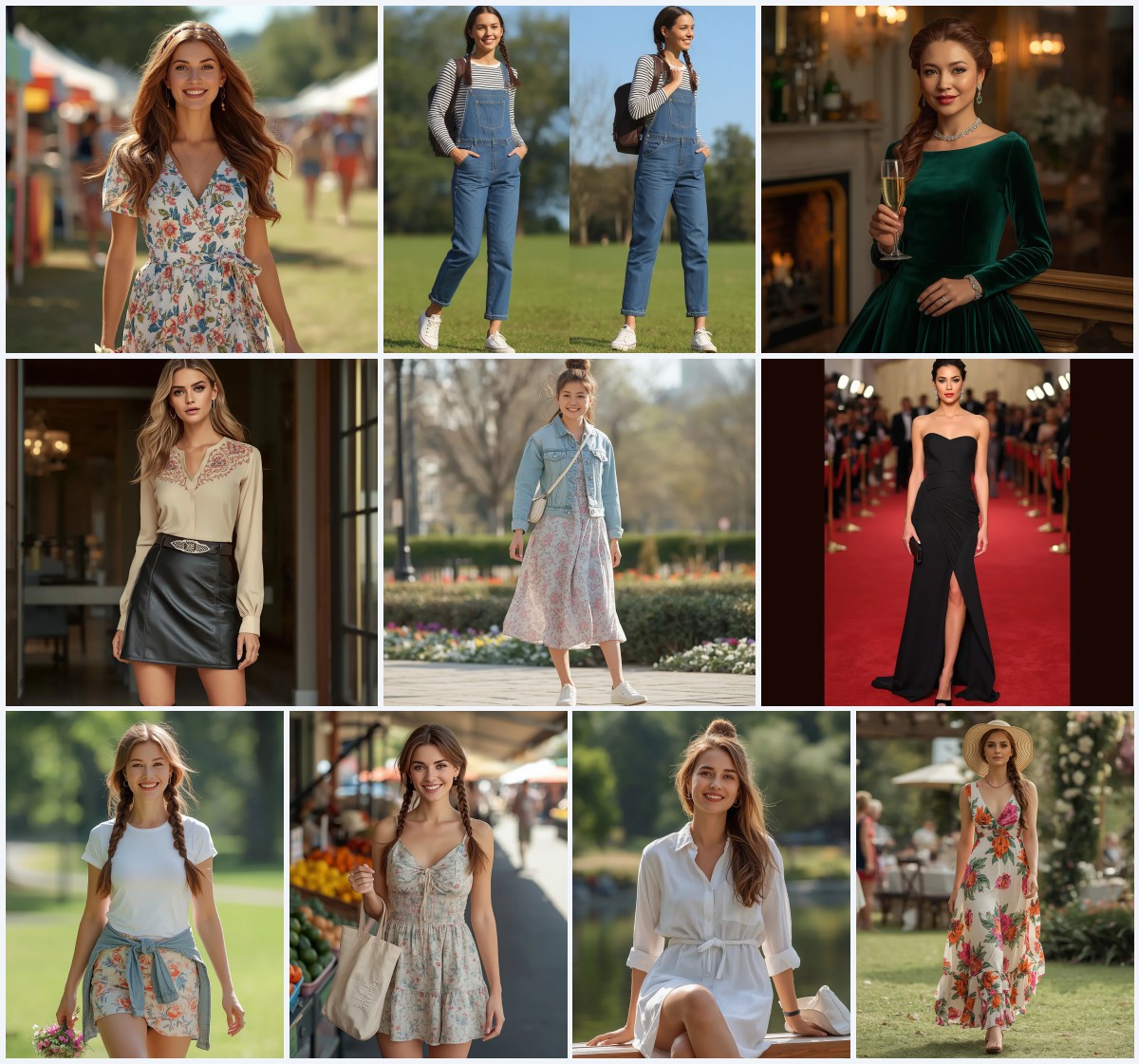
The scenes vary widely, but each one places the subject in a moment of genuine emotion. In the sunny park prompts, the girl is 'skipping and laughing' or 'running and laughing' with 'arms outstretched' and a 'wide, infectious smile.' The background is consistently a 'lush green park with blooming trees' and 'soft sunlight filtering through the leaves.' This creates a bright, natural diffused lighting that feels warm and inviting.
For the more urban or studio prompts, the environment changes. The street style shoot places her in a 'bustling cityscape with blurred graffiti walls and industrial buildings,' while the birthday photoshoot uses a 'clean, minimalist studio with a soft pastel backdrop.' The elven ranger prompt stands out with a 'misty, ancient forest' where 'mist swirls around the base of ancient, moss-covered trees.' In every case, the lighting and background are carefully chosen to enhance the subject's pose and outfit.
Why these prompts work for dreamy girl portraits
These prompts are effective because they combine specific, vivid clothing details with clear emotional cues and environmental context. The result is an image that feels both stylized and authentic, avoiding the generic look that often plagues AI-generated portraits. The emphasis on natural light and dynamic movement helps the subject appear alive and engaged, rather than stiff or posed.
- The clothing descriptions are highly detailed, from 'delicate ruffles' to 'distressed details' on jeans, giving the AI clear texture and color instructions.
- The emotional cues like 'joyful,' 'confident,' and 'playful' guide the facial expression and body language, ensuring a consistent mood.
- The varied settings, from parks to forests to studios, allow for a range of lighting and background effects that keep the collection diverse and visually interesting.
Three styles you can lean into with this collection
This collection supports three distinct visual styles, each rooted in the prompt details. You can choose to emphasize the sunny, natural look of the park scenes, the polished studio aesthetic of the birthday shoot, or the cinematic fantasy of the elven ranger. Each style stays within the boundaries of the original prompts and uses the same clothing and lighting cues.
- Sunny Naturalism: Focus on the 'bright, natural diffused lighting' and 'lush green park' backgrounds to create a warm, heartwarming image that feels like a candid snapshot.
- Studio Sparkle: Lean into the 'clean, minimalist studio with a soft pastel backdrop' and 'bright, diffused studio lighting' to highlight the 'dazzling sequin mini dress' and its iridescent sparkle.
- Cinematic Fantasy: Embrace the 'misty, ancient forest' and 'ethereal, naturalistic lighting' to portray the elven ranger with 'practical yet graceful leather and cloth armor' and a 'bow held loosely.'
How to use these prompts step by step
Using these prompts is straightforward, but following a consistent workflow will help you get the best results. Start by selecting the prompt that matches the mood you want, then copy it exactly into your chosen AI tool. If you have a reference photo, upload it to guide the subject's appearance. Generate a few variations, then inspect the hands, face, and main object for any distortions. Adjust the prompt slightly if needed, and repeat until you have a polished image.
- Copy the prompt. Select the full text of the prompt you want to use and copy it without any modifications to preserve all clothing and lighting details.
- Upload a reference. If you have a photo of the subject, upload it as a reference to help the AI match facial features and skin tone.
- Generate the image. Run the prompt in your AI tool, choosing a high resolution setting and the aspect ratio mentioned, such as 3:4 or 16:9.
- Check the hands. Inspect the hands for extra fingers, missing digits, or awkward poses, especially in dynamic actions like skipping or raising arms.
- Check the face. Look for unnatural symmetry, blurry eyes, or mismatched expressions, and regenerate if the face does not match the joyful or confident mood.
- Check the main object. Verify that the dress, armor, or parrot is rendered correctly, with accurate textures and colors as described in the prompt.
Choosing the right reference photo
A good reference photo can significantly improve the realism and consistency of your generated images. It should clearly show the subject's face and upper body, with even lighting and no heavy shadows. Avoid photos with extreme angles or filters that alter skin tone, as these can confuse the AI. The reference does not need to match the pose or outfit in the prompt, but it should be high quality and in focus.
- Use a well-lit portrait with a neutral expression to give the AI a clear baseline for facial features.
- Ensure the photo is high resolution and not blurry, so the AI can capture fine details like eye shape and skin texture.
- Avoid photos with heavy makeup or dramatic lighting, as these may override the natural makeup and lighting described in the prompt.
AI tools for generating these fairy garden portraits
Different AI tools handle these prompts with varying degrees of realism and control. ChatGPT, Google Gemini, Leonardo AI, and Midjourney each have strengths and weaknesses. The table below compares their access, typical realism, and what they are particularly useful for with this collection.
| Tool | Access | Typical realism | Useful here for |
|---|---|---|---|
| ChatGPT | Free tier and paid subscription | Moderate to high, with good text understanding | Generating the elven ranger prompt with accurate armor and forest details. |
| Google Gemini | Free with Google account | Moderate, often stylized | Quickly testing the sunny park prompts with bright, natural lighting. |
| Leonardo AI | Free tier with daily credits | High, with fine control over textures | Capturing the sequin mini dress sparkle and iridescent pink and silver colors. |
| Midjourney | Paid subscription | Very high, with cinematic quality | Rendering the misty ancient forest and ethereal lighting for the elven ranger. |
Tips for better results with these prompts
To get the most out of these prompts, pay attention to the specific materials and objects mentioned. Small adjustments can make a big difference in the final image. Here are three tips that focus on real elements from the prompts.
- When generating the yellow gingham dress, add a note about the 'delicate ruffles' to ensure the AI renders the fabric texture and folds correctly.
- For the sequin mini dress, include 'iridescent pink and silver' in your prompt to help the AI produce the sparkling, reflective effect.
- In the elven ranger prompt, emphasize the 'quiver of arrows on her back' and 'bow held loosely' to avoid the AI omitting these key props.
Common issues and how to fix them
Even with detailed prompts, AI generators can produce errors. The table below lists four common issues you might encounter with this collection and what to change to resolve them.
| Issue | What to change |
|---|---|
| Hands appear with extra fingers or unnatural poses | Add 'perfect hands, five fingers' to the prompt and regenerate, or use a tool with hand correction features. |
| The dress color or pattern is inaccurate | Reinforce the color and pattern in the prompt, such as 'yellow gingham dress with ruffles' or 'blue denim dress with embroidery.' |
| The background is too cluttered or distracting | Simplify the background description to 'lush green park with soft sunlight' or 'clean minimalist studio with pastel backdrop.' |
| The face looks distorted or lacks expression | Specify the emotion more clearly, like 'wide, infectious smile' or 'focused and serene expression,' and check the reference photo quality. |
Frequently Asked Questions
Can I use these prompts for adult subjects instead of young girls?
Yes, you can adapt the prompts by changing 'young girl' to 'young woman' and adjusting the clothing and pose descriptions to suit an adult. The core lighting and setting details remain the same.
Which prompt in this collection is best for a fantasy-themed image?
The elven ranger prompt is the most fantasy-oriented, with its misty ancient forest, leather and cloth armor, and quiver of arrows. It creates a cinematic, ethereal portrait.
How do I ensure the dress details like ruffles or sequins are visible?
Include the specific fabric and trim descriptions in your prompt, such as 'delicate ruffles' or 'dazzling sequin mini dress in iridescent pink and silver,' and use a high-resolution setting in your AI tool.
Conclusion
This collection of ten prompts offers a versatile set of starting points for creating dreamy, realistic portraits of girls and young women in joyful, exploratory settings. By following the step-by-step workflow, paying attention to clothing and lighting details, and using the right AI tool for each style, you can generate images that feel both magical and authentic. Whether you are drawn to the sunny park scenes or the misty forest fantasy, these prompts provide a solid foundation for your creative projects.
Always ensure you have the right to edit and use any reference photo you upload before generating your AI images.